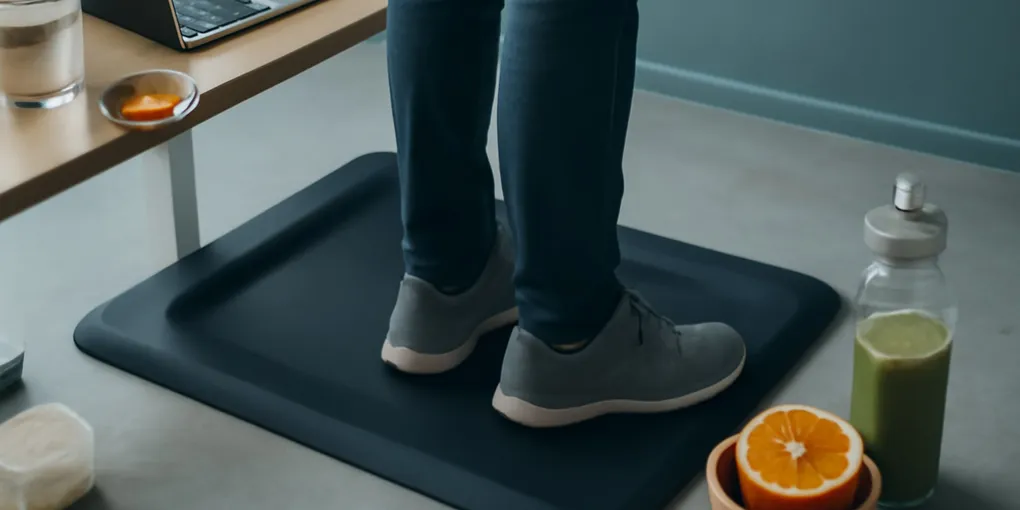
Anti-Fatigue Mats for Standing Desks: Evidence, Comfort, and When Shoes Matter More
Evidence ExplainerQuick picks
Gorilla Grip Anti-Fatigue Comfort Mat
★ Top pick Best flat budget mat- Best Use: Short standing blocks at a home desk where flat, beveled edges matter
- Caveat: Not an active-terrain mat; choose size carefully
Ergodriven Topo Comfort Mat
Best active standing mat- Best Use: People who naturally shift stance and have clear floor space
- Caveat: Raised terrain can be a trip hazard in tight rooms
Sky Solutions Anti-Fatigue Mat
Best simple home-office mat- Best Use: Standing desk users who want a simple foam mat in multiple sizes
- Caveat: Very soft mats can feel unstable during long sessions
Bottom line
Anti-fatigue mats can make a standing desk more tolerable, but they do not turn long static standing into a health upgrade. For a flat, inexpensive starting point, compare the Search Amazon for Gorilla Grip Anti-Fatigue Comfort Mat or Search Amazon for Sky Solutions Anti-Fatigue Mat. If you like shifting stance and have clear floor space, the Search Amazon for Ergodriven Topo Comfort Mat is the active-mat comparison point.
The useful job is narrow: reduce foot and leg discomfort during short standing blocks, make small posture shifts easier, and keep hard floors from feeling punishing. The mat should support movement, not trap you in one heroic two-hour stand.
Quick picks for standing-desk mats
- Best flat budget mat: Search Amazon for Gorilla Grip Anti-Fatigue Comfort Mat for simple home-office standing blocks.
- Best active standing mat: Search Amazon for Ergodriven Topo Comfort Mat if you naturally shift positions and have clear floor space.
- Best simple home-office alternative: Search Amazon for Sky Solutions Anti-Fatigue Mat when you want a flat mat in common desk sizes.
Skip raised terrain if you shuffle in a tight room, use a rolling chair often, or share the space with pets or kids.
If your standing block feels more like calf heaviness than foot pressure, compare this decision with our compression socks for standing desk evidence guide before buying another mat.
What the evidence actually supports
The strongest claim is comfort, not disease prevention. Standing-desk mats may reduce perceived fatigue during standing tasks, especially on hard floors, because they change pressure under the feet and encourage small weight shifts. That is different from proving that a mat improves cardiovascular health, back pain, or metabolism.
The broader office-health point is movement variation. OSHA workstation guidance emphasizes neutral positions and workstation fit, not staying in one posture all day (OSHA computer workstation positions). The CDC activity guideline still points adults toward regular aerobic and muscle-strengthening activity. A mat can make standing easier; it cannot replace walking, strength work, or breaks.
Practical score
| Factor | Weight | Score | Rationale |
|---|---|---|---|
| Research | 30% | 5.7 | There is plausible ergonomics support for comfort, but health-outcome claims are often overstated. |
| Evidence Quality | 25% | 5.3 | Studies and workplace guidance are more about fatigue and posture than brand-level mat comparisons. |
| Value | 20% | 7.1 | A mid-price mat can be worthwhile if it helps you alternate positions daily. |
| User Signals | 15% | 7.8 | Real-world satisfaction depends on firmness, edge shape, shoe pairing, and floor safety. |
| Transparency | 10% | 6.4 | Better listings show dimensions, thickness, beveling, material, and cleaning instructions. |
| Composite | 100% | 6.2 | A practical comfort tool, not a shortcut around movement breaks. |
Flat mat vs active mat
Flat mats are the safest default. They give the foot a moderately cushioned surface without forcing a specific stance. Look for beveled edges, enough width to change foot position, and a surface that can be wiped clean. If the mat is so soft that your ankle wobbles, it is too soft for focused work.
Active mats add ridges, mounds, massage points, or raised edges. They are designed to invite fidgeting and calf movement. That can be useful for people who naturally shift around. It can also be annoying if you want stable footing for precise keyboard work. Raised shapes need clear floor space because they are easier to catch with a foot or chair wheel.
Shoes may matter more than the mat
Many standing-desk complaints are shoe problems. Bare feet on a soft mat can feel good for ten minutes and irritating after an hour. Unsupportive slippers can collapse on the inside edge. A firm walking shoe with enough toe room often does more than a premium mat.
Try this before buying: stand at your desk for 20 minutes in the shoes you actually wear, then repeat on a folded towel or yoga mat. If shoes change the experience more than the surface, spend money on footwear first. If the hard floor is clearly the problem, a mat is reasonable.
How to use a mat without overstanding
Use the mat in blocks. A practical rhythm is 20 to 40 minutes standing, then sitting or walking for a few minutes. If your feet get hot, your low back tightens, or you start locking one knee, the block is too long.
A good mat should make gentle movement easier: heel raises, small stance changes, and occasional calf stretches. It should not become permission to stand motionless through every meeting. Static standing can still fatigue the legs and back, especially when the desk height is wrong.
Fit checklist before buying
- Size: wide enough for shoulder-width stance and small steps, not just two footprints.
- Edge: beveled edges reduce trip risk compared with abrupt raised borders.
- Firmness: compresses slightly but does not feel like a pillow.
- Cleaning: smooth enough to wipe if you drink coffee or train near the desk.
- Chair compatibility: easy to move when you sit, or thin enough that chair wheels do not catch.
- Room safety: no raised terrain in a walkway.
The trip-risk point matters. The CDC falls-prevention page is focused on older adults, but the same home principle applies: keep walking paths clear and avoid loose surfaces that catch the foot.
Who should skip the mat
Skip or delay a mat if standing causes sharp foot pain, numbness, swelling, or pain that changes your gait. A mat may hide the signal briefly without solving the cause. Also skip raised active mats if you use mobility aids, have balance problems, or need to move quickly around the workstation.
If you already alternate sitting, standing, and walking comfortably, a mat is optional. Spend on better desk height, monitor position, shoes, or a walking break reminder first.
Anti-fatigue mat FAQ
How thick should a standing desk mat be?
Thickness alone is not the answer. A moderately firm mat around the common office range is better than an extra-thick foam pad that lets the ankle wobble.
Can I use a yoga mat instead?
Temporarily, yes, but yoga mats are often too thin or too slippery for desk use. They also lack beveled edges and can bunch when a chair rolls over them.
Should I stand barefoot on a mat?
Some people like it for short blocks, but supportive shoes are usually the better starting point for long work sessions. Barefoot standing on a soft mat can fatigue the foot if you overdo it.
Sources
- OSHA computer workstation position guidance
- CDC adult physical activity guidelines
- CDC falls prevention guidance
Frequently Asked Questions
- They can make standing more comfortable, but they do not make long static standing healthy by themselves. Alternating sitting, standing, and walking still matters.
- Not always. Very soft mats can feel unstable. A supportive shoe plus a moderately firm mat is usually a better starting point.
- They can help people who like shifting positions, but they need more floor awareness and are not ideal where raised edges create trip risk.